
Business interruption claim report: a full sample in PDF and Excel
A business interruption claim report sets out the business income loss for one claim: the sales lost while the business could not trade normally, the costs that carried on, and the extra costs of keeping going. BIClaimPro gives three estimates for the same claim, Base, Conservative and Insurer View, in a PDF report and an Excel calculation sheet.
The result in this sample
One fictional bakery, three estimates of the same business income loss.
| What the report shows | Amount (estimate) |
|---|---|
| Lost sales over the claim period | $139,200.00 |
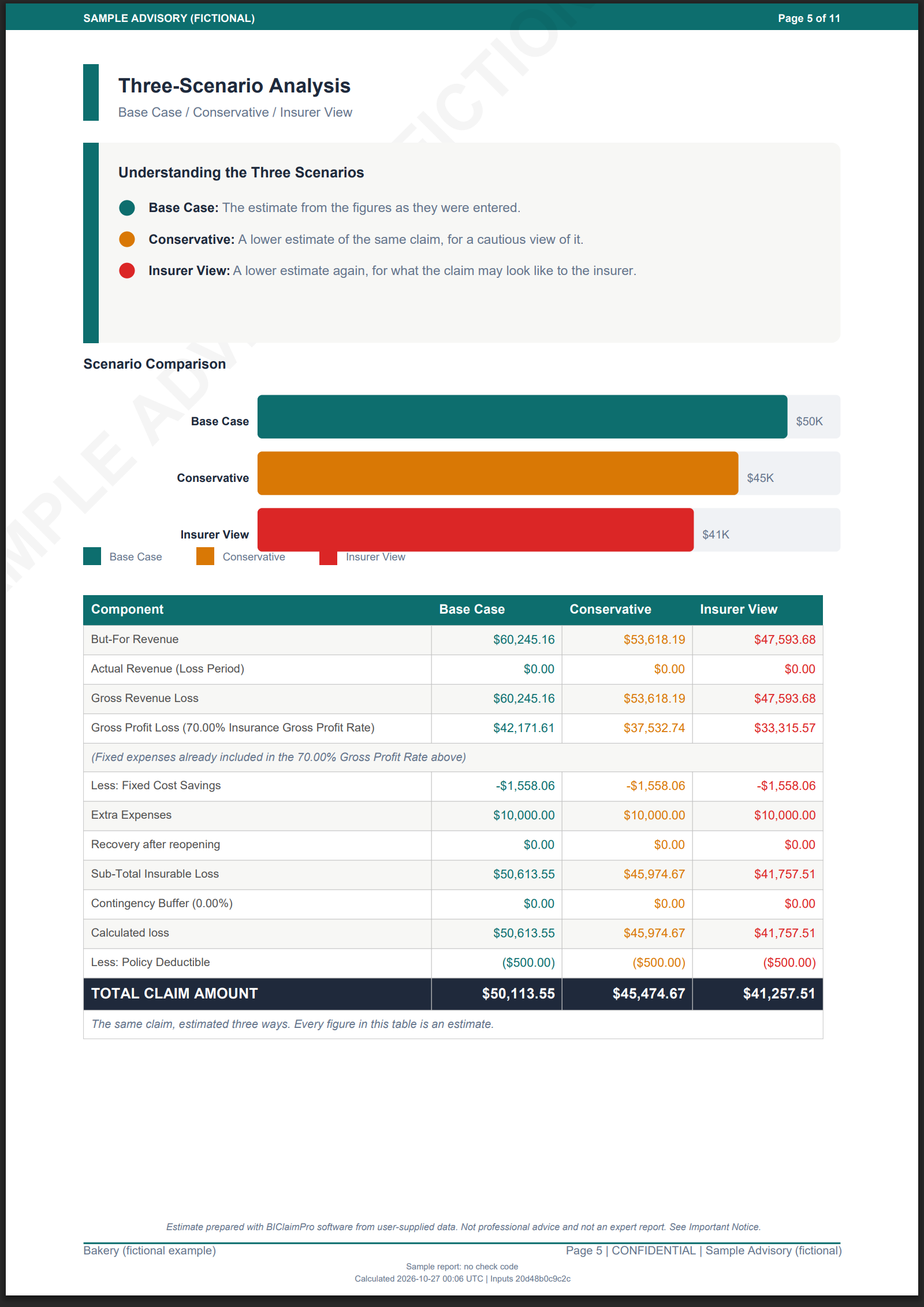
| Business income loss, Base estimate | $50,113.55 |
| Business income loss, Conservative estimate | $45,474.67 |
| Business income loss, Insurer View estimate | $41,257.51 |
Download the sample report and the Excel calculation sheet
Both files are free. No email address and no account.
Download the sample report (PDF) Download the Excel calculation sheet (XLSX)
What this sample shows
This is a complete business interruption claim report for one fictional bakery, produced by BIClaimPro from the same code a paying customer uses. It shows the shape of the report, the tables in it and the kind of figures it produces.
The claim is a business interruption insurance claim on a gross profit cover. The report gives the business income loss over the claim period as three estimates, with the insured fixed costs and the extra expense of keeping the business going set out beside them.
The full report your own claim produces has more in it than this sample. The sample says, on its last page, which sections those are and what each one gives you.
Pages from the sample
The same pages you get in the file, as pictures.
The business interruption calculation, in a report and a calculation sheet
A business interruption loss calculation has to be read by someone who did not do it. That is why every claim comes as two files: a PDF report to send, and a business interruption calculator Excel workbook with the same figures as cells, for the person who wants to check them.
The business interruption gross profit calculation, the loss of profits claim figures, the insured fixed costs and any increased cost of working all appear in both files, with the same totals.
The policy terms the report applies
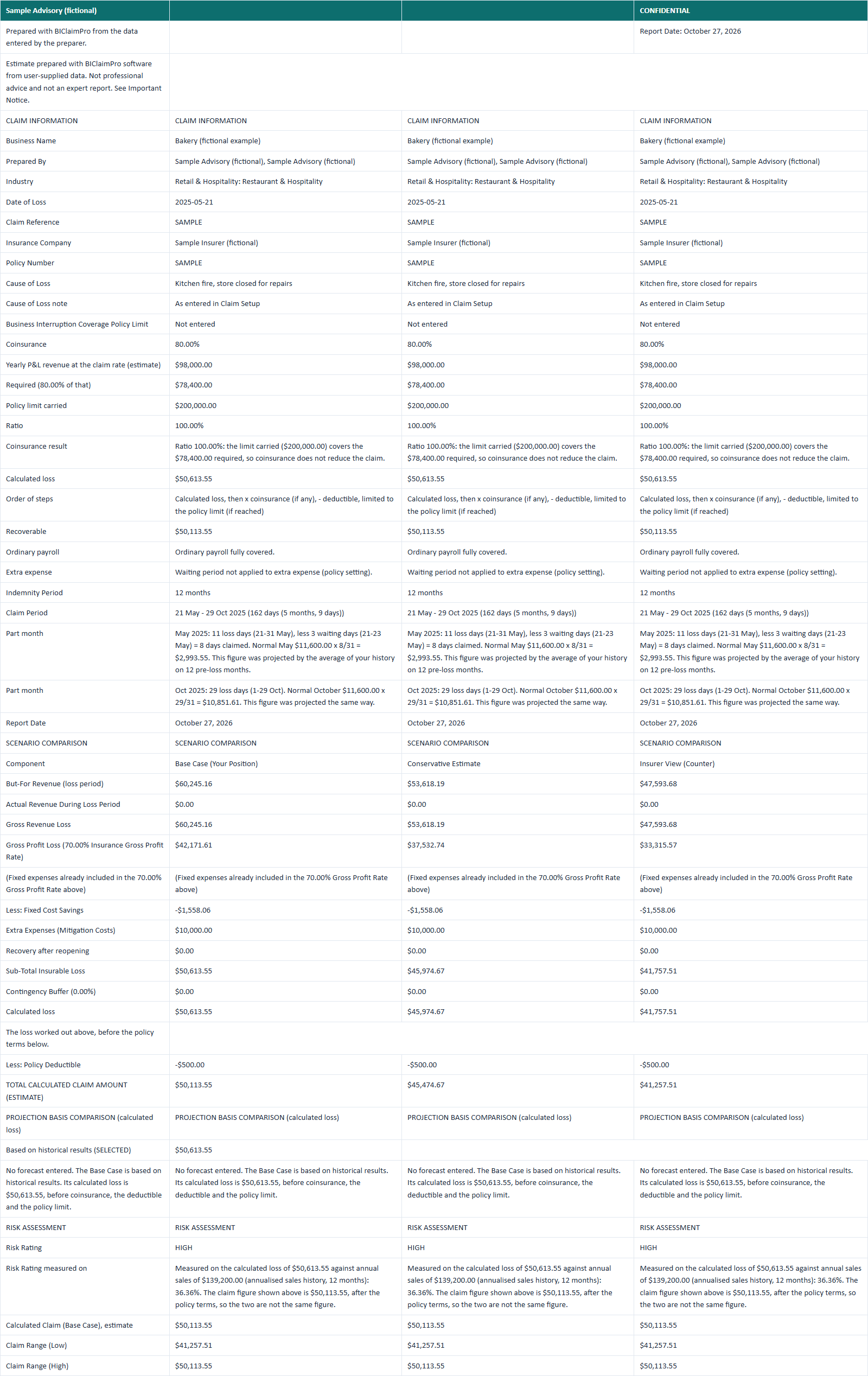
A claim is shaped by the policy as much as by the sales. The report states the cover, the indemnity period, the waiting period, any coinsurance condition and the policy limit, and shows the claim with each of them applied.
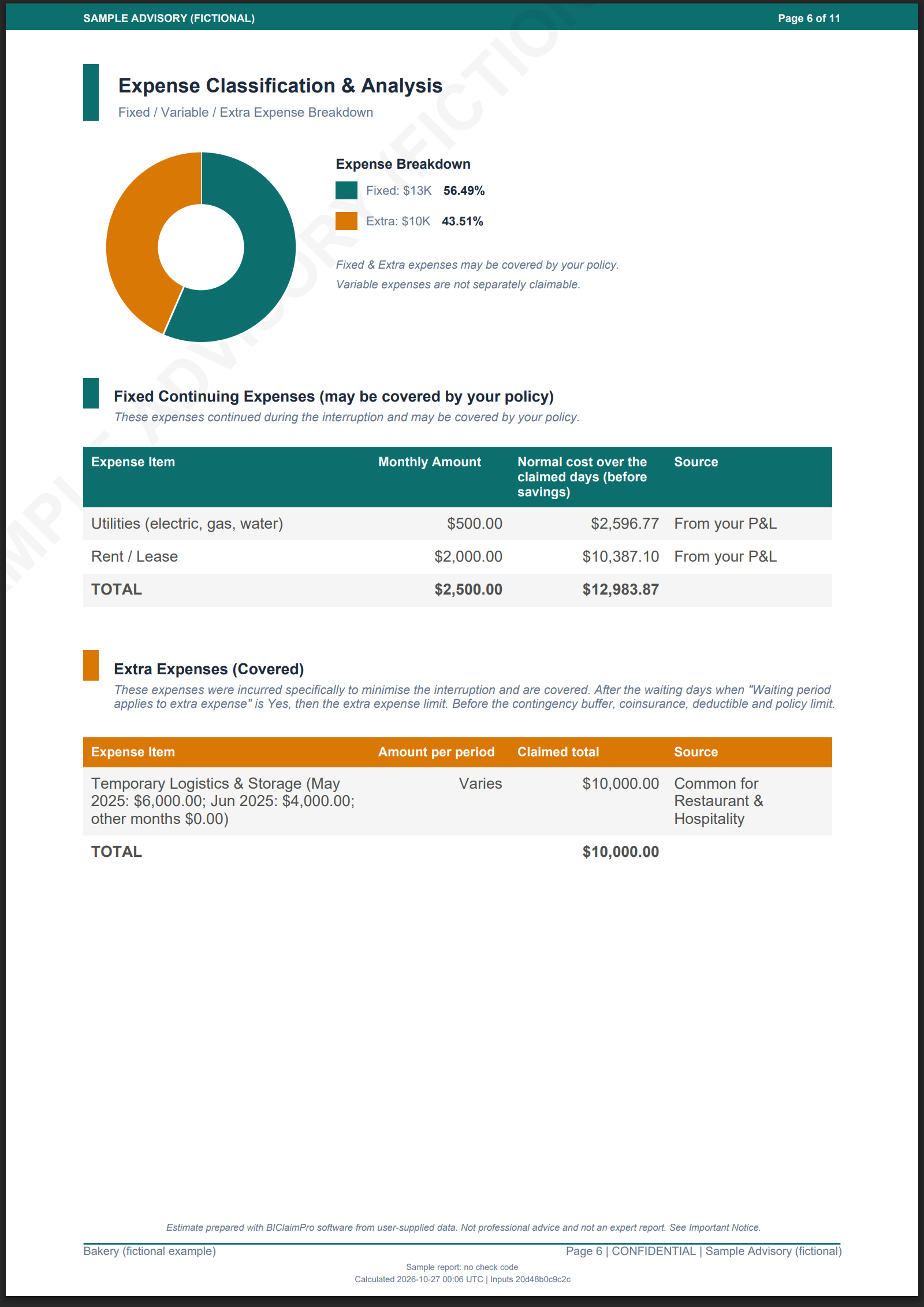
Extra expense, also called increased cost of working, is counted separately from the loss of profit, so a reader can see what was spent to keep trading and what was lost anyway.
What is in a business interruption claim report?
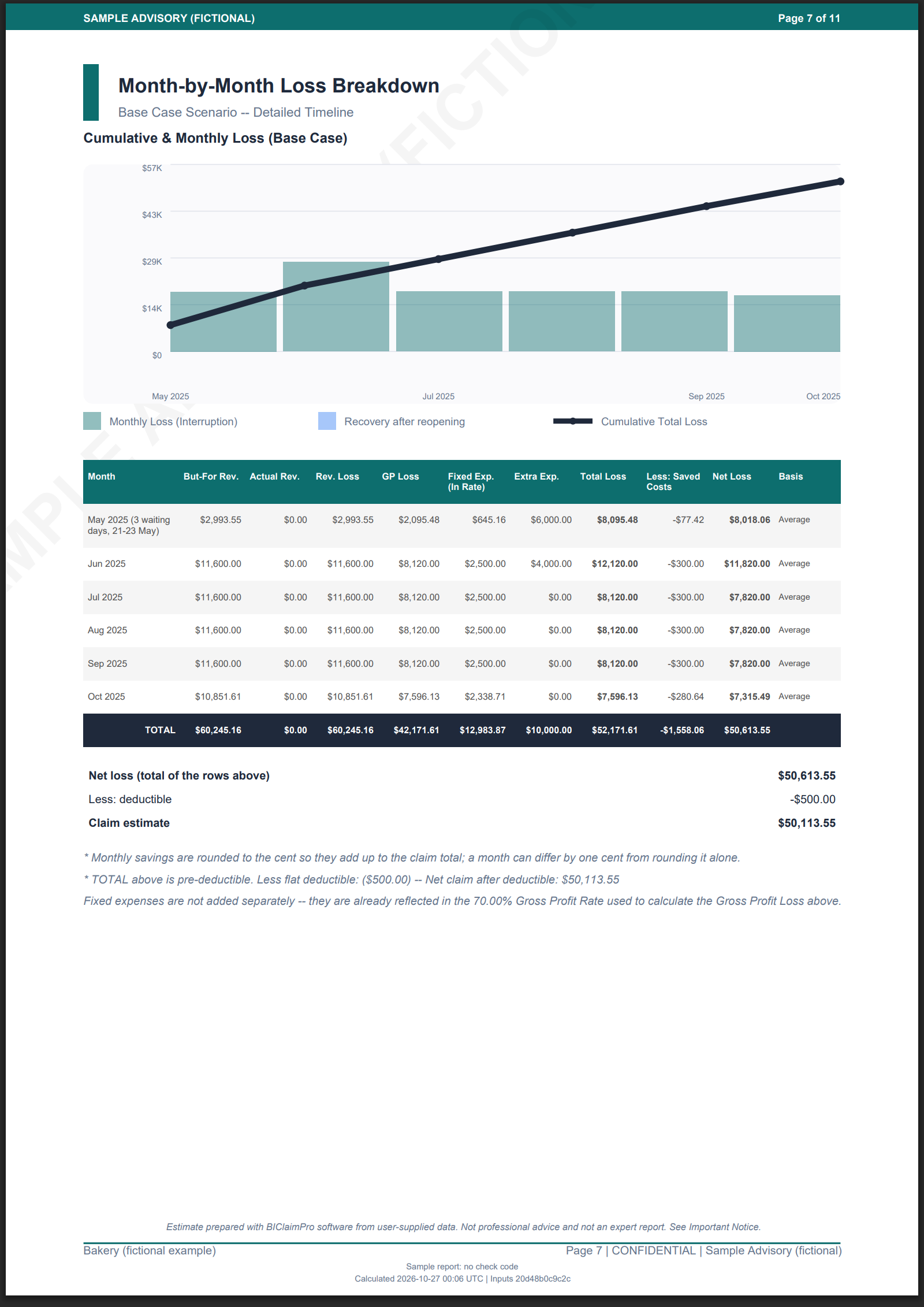
The report states the business income loss for one claim and shows the figures behind it. It has a summary of the claim, the policy cover and its terms, three estimates of the loss, the fixed costs and extra expense counted, a month-by-month table of the claim period, and a documentation checklist. The Excel workbook holds the same figures as spreadsheet cells.
What is a business income loss?
It is the money a business did not earn because it could not trade normally. In a claim it is the sales lost over the claim period, less the costs that stopped while the business was down, plus the extra costs of keeping going. Every figure in a BIClaimPro report is an estimate.
What do the three scenarios mean?
Every claim is produced three times: a Base estimate, a Conservative estimate and an Insurer View. They give the claim as a range rather than a single number, so you can see where a discussion is likely to land. In the sample the three come out at $50,113.55, $45,474.67 and $41,257.51, and all three are estimates.
Can I get the calculation in Excel?
Yes. Every claim produces an Excel calculation sheet as well as the PDF, and both are included in this sample. The workbook has a sheet for the summary, the sales before the loss, the sales during it, the expenses and the month-by-month figures. Every amount is a number in a cell, so you can sort it, chart it or paste it into your own working.
What documents support a business interruption claim?
Sales records for the period before the loss and for the claim period, a profit and loss account, invoices for any extra costs, and the policy schedule. The report ends with a documentation checklist you can tick as you collect each one. The sample shows the checklist in full.
Where to go next
The guide walks through a claim field by field, and the FAQ answers the questions people ask before they start.